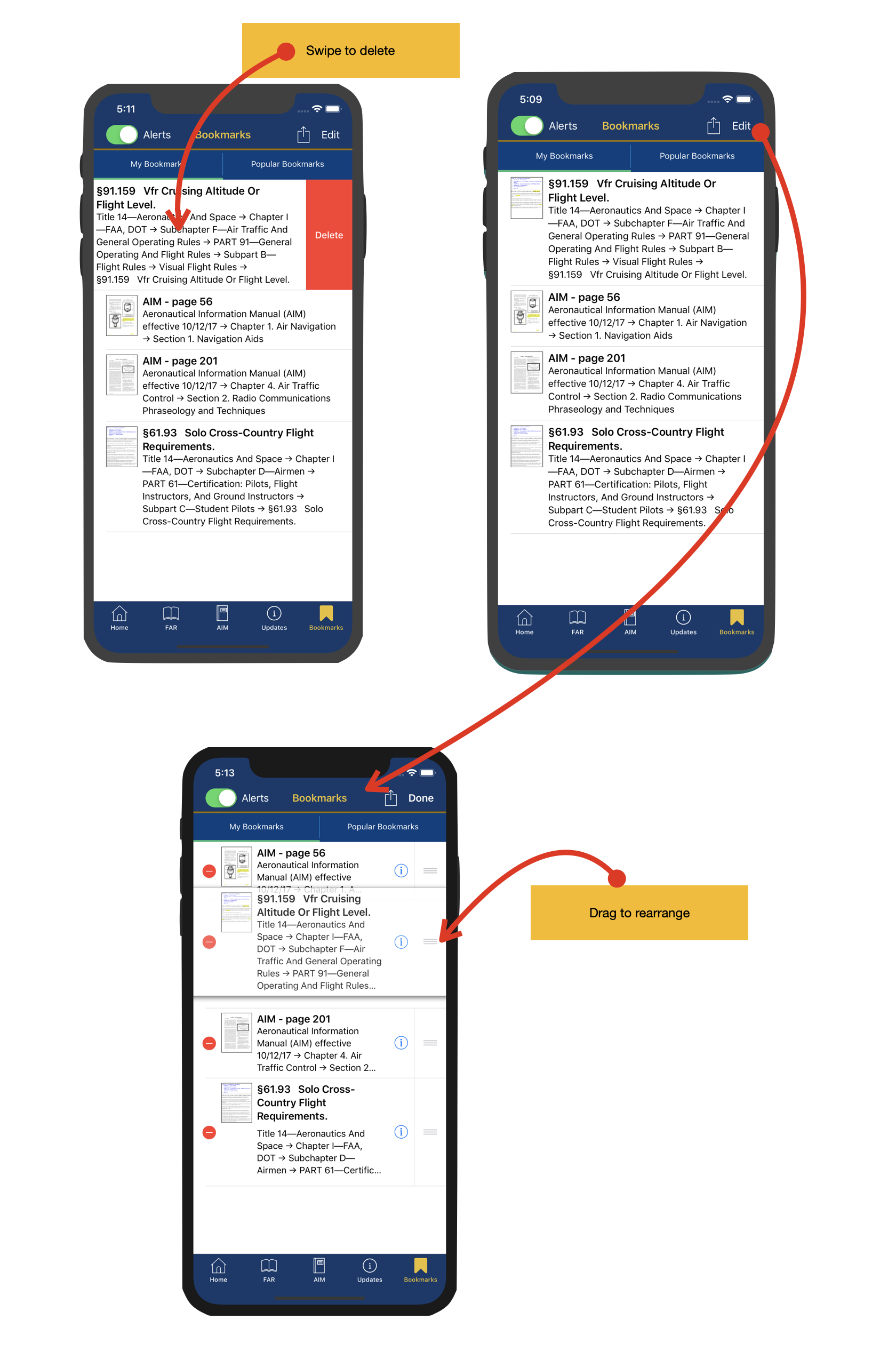
Manage bookmarks
Use swipe-to-delete or Edit mode to delete and rearrange bookmarks so your saved references stay organized.
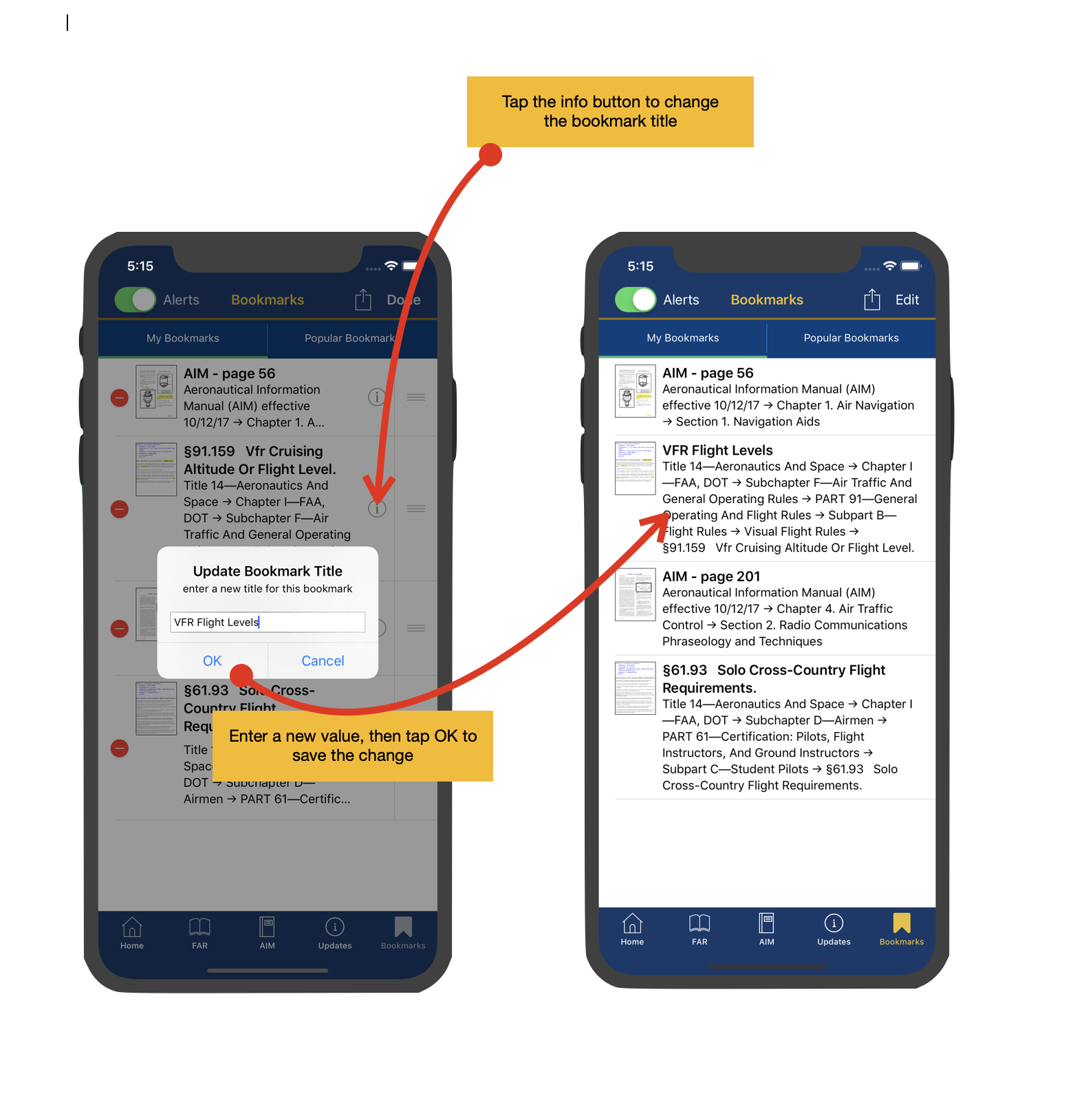
Rename bookmark titles
Rename a bookmark to something meaningful from Edit mode. Removing the custom title restores the original regulation or AIM page title.
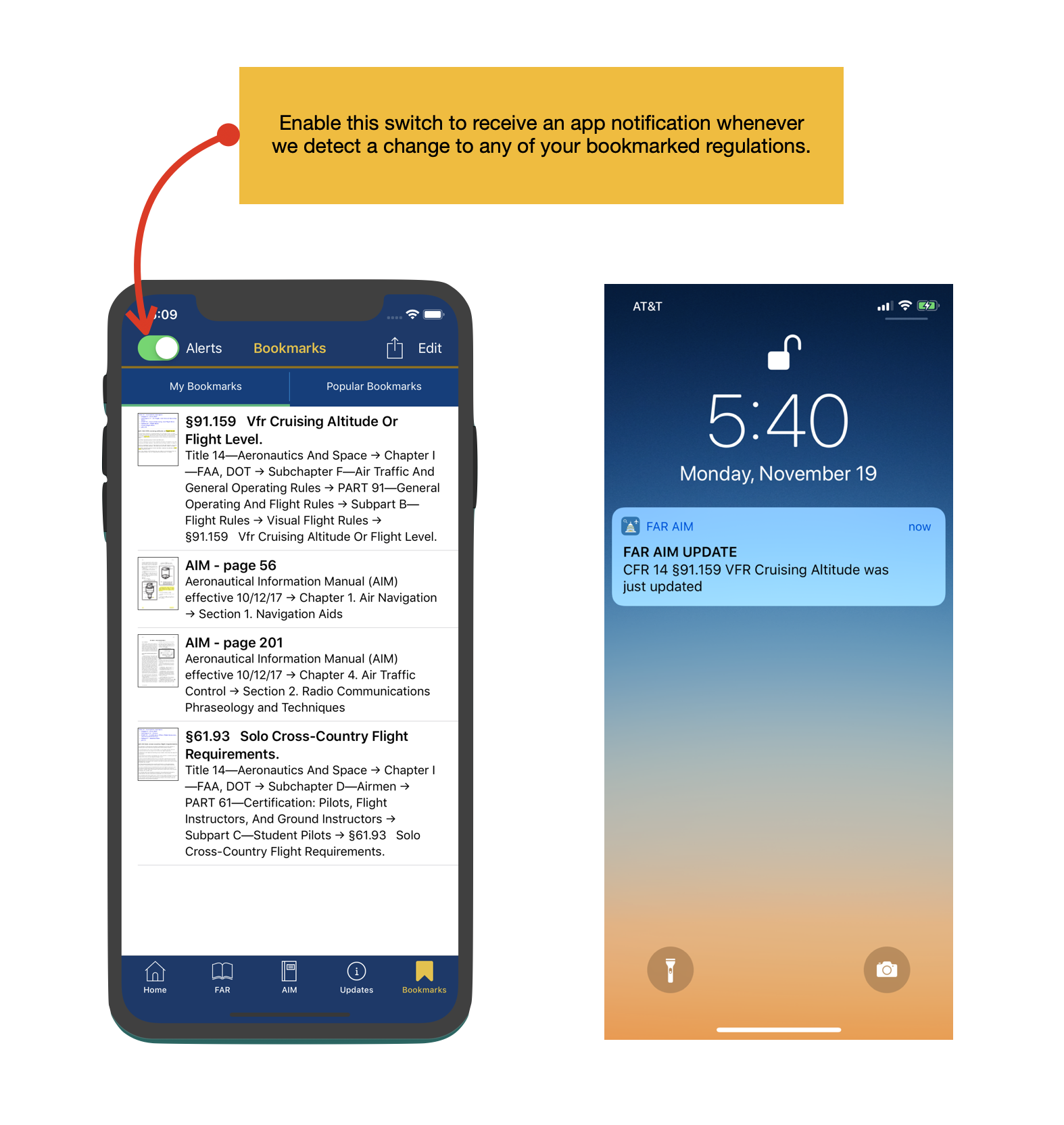
Subscribe to alerts
When alerts are enabled, bookmarked regulations can notify you when FAR AIM detects relevant changes.
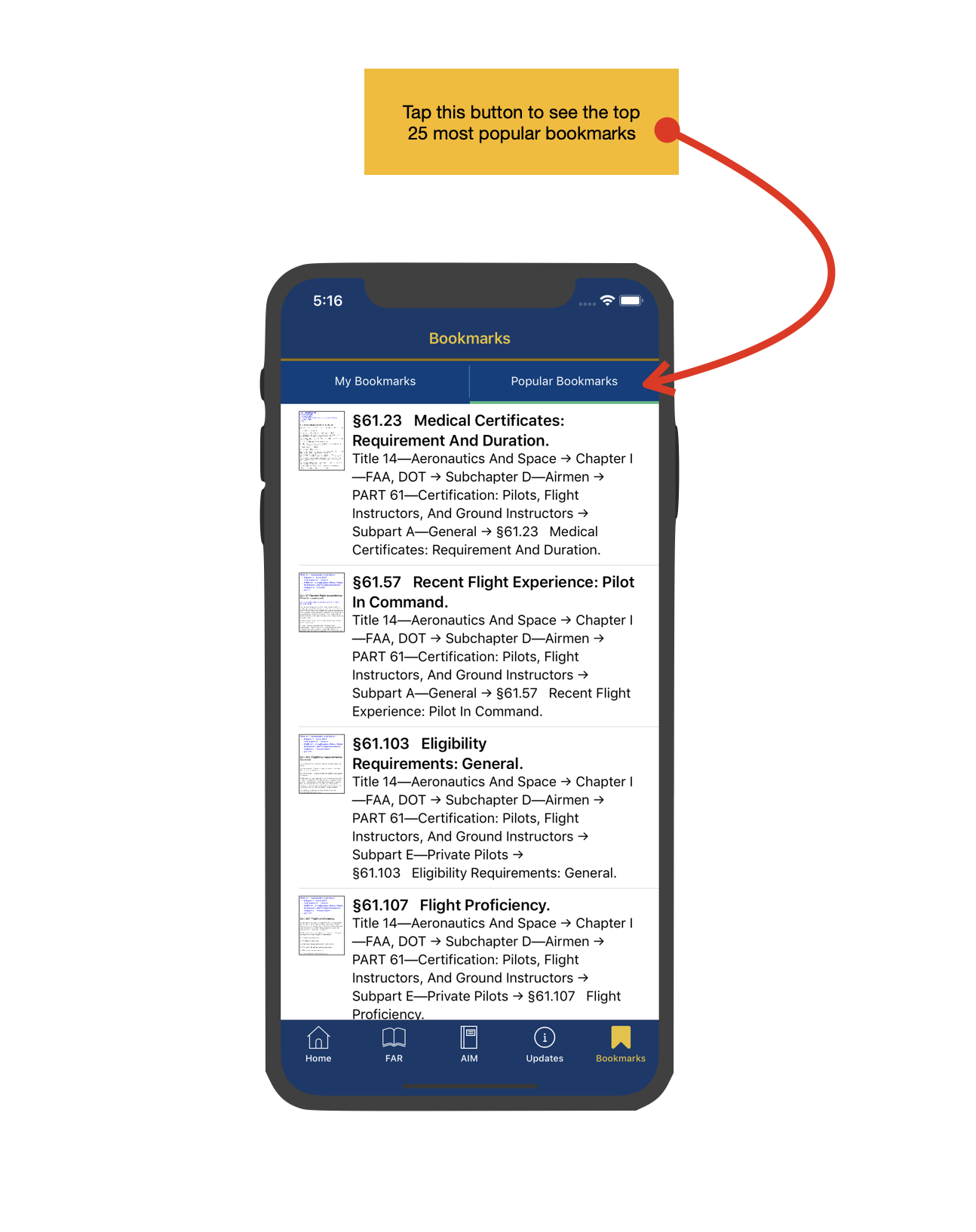
Popular bookmarks
A starter list of popular bookmarks helps pilots jump into commonly used FAR and AIM topics.
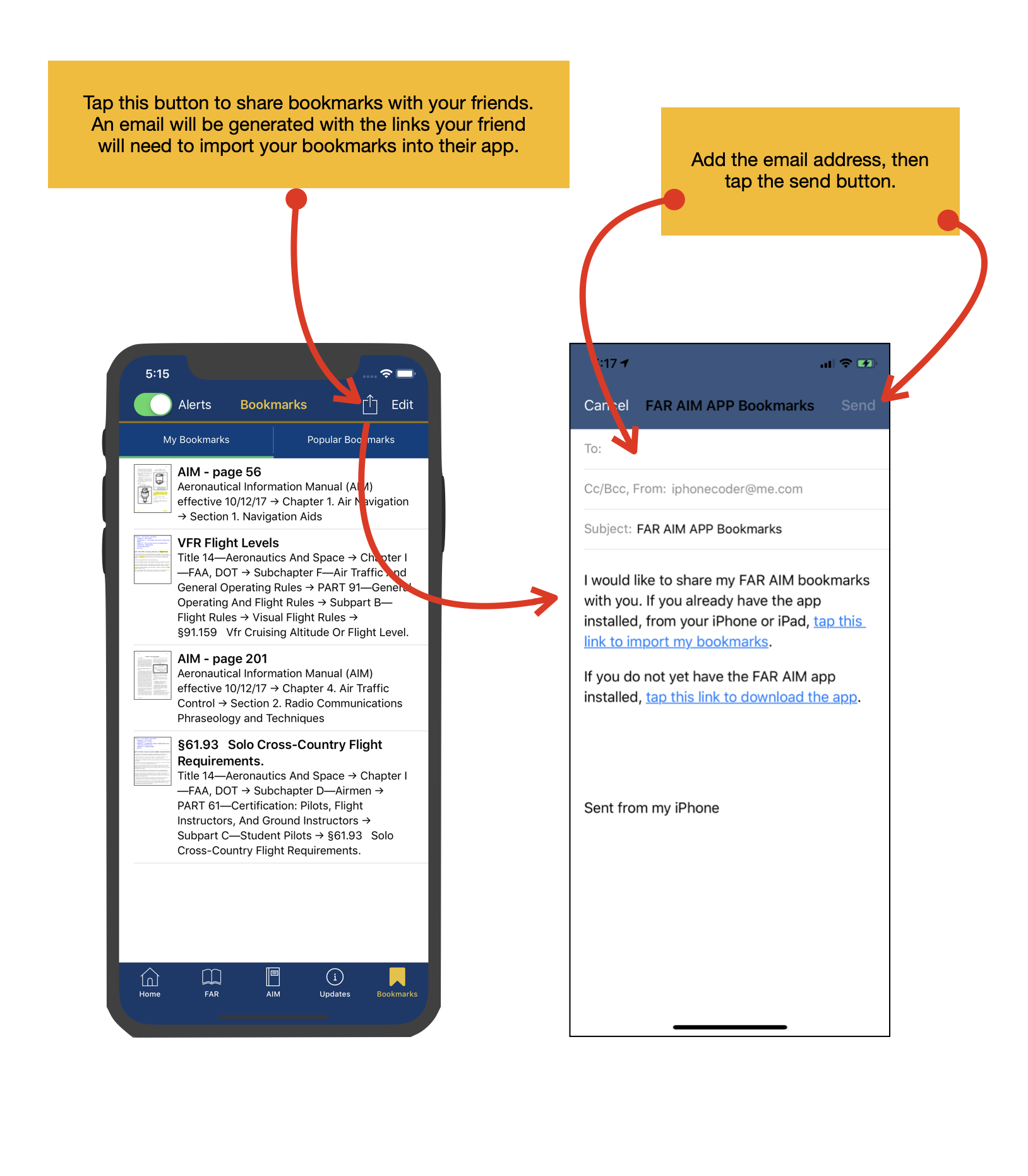
Share with others
Share bookmarks with friends, students, or classmates by email. Imported bookmarks are added without deleting the recipient's existing list.