
Detecting changes
The Home page status area shows when CFR changes were last found. The Updates tab count tells you how many FAR-related changes arrived since you installed the app or last reviewed updates.

Viewing change details
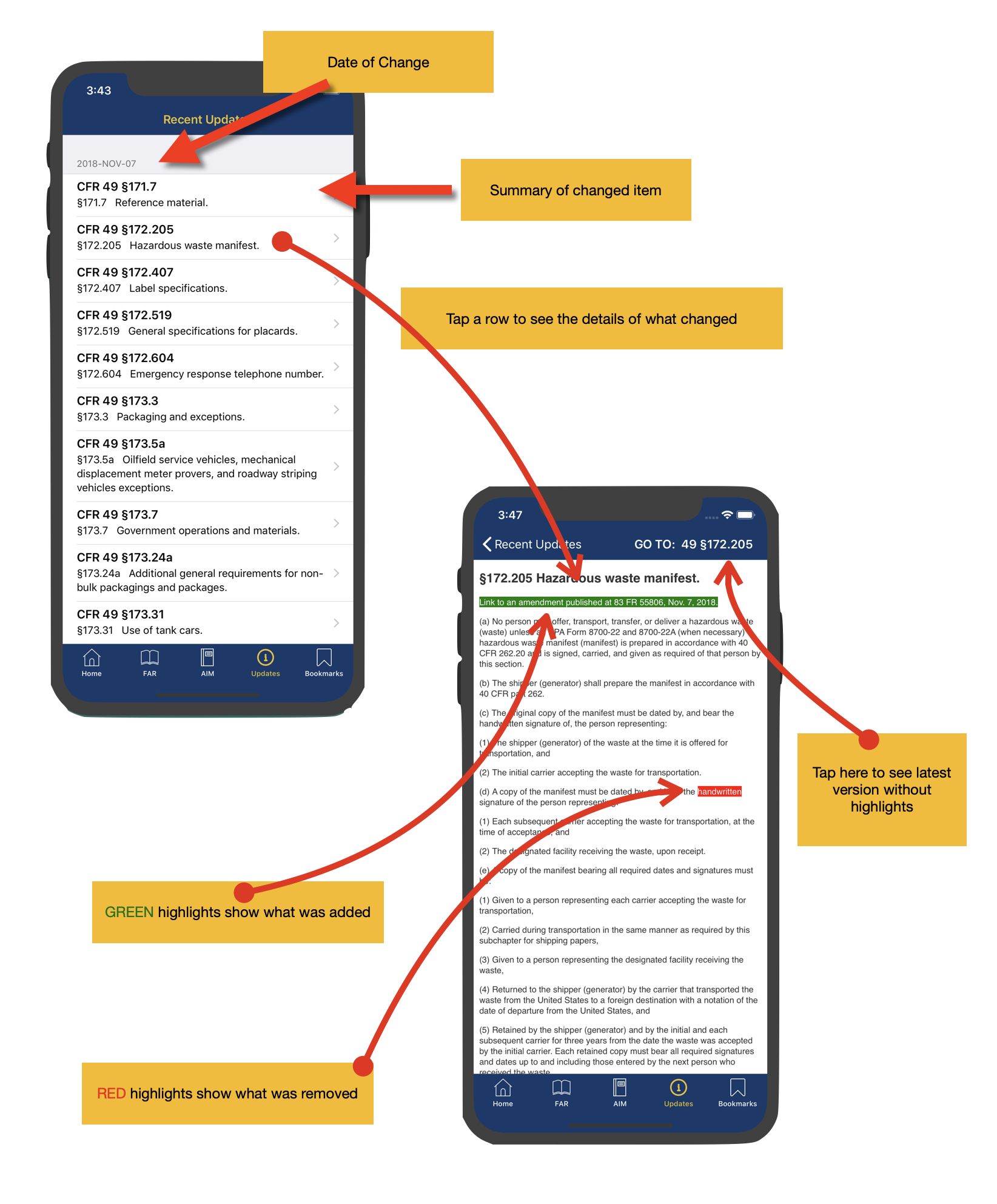
Changes are grouped by date. Tap a row to see the change detail, where red marks removed or modified text and green marks newly added text.
Alerts for saved material
If any regulations you have bookmarked are updated, FAR AIM can send an alert so you can review the affected material promptly.