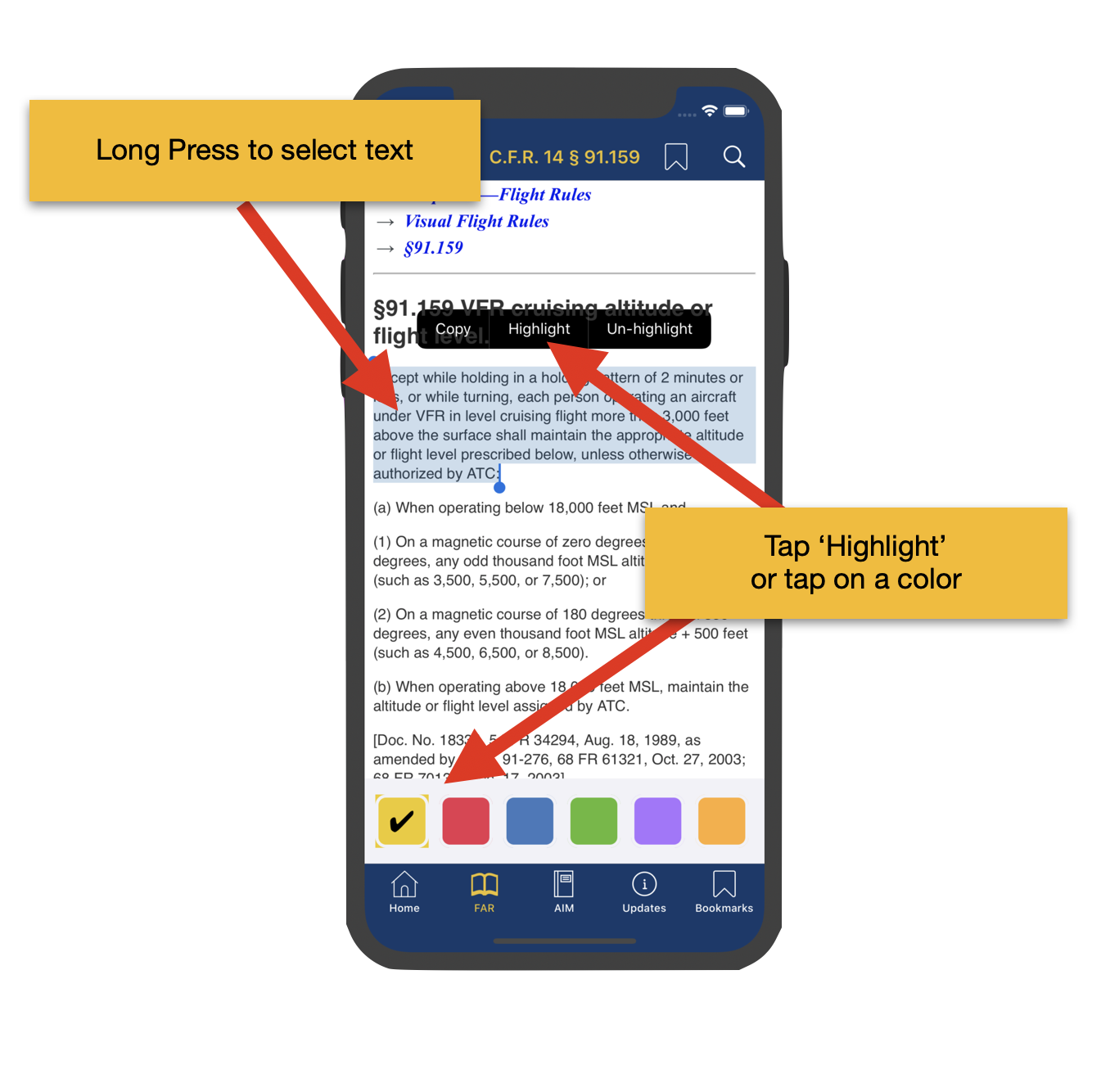
Highlight text
Select text with a long press, then choose a color or the highlight menu option. The active color collection appears at the bottom of the screen.
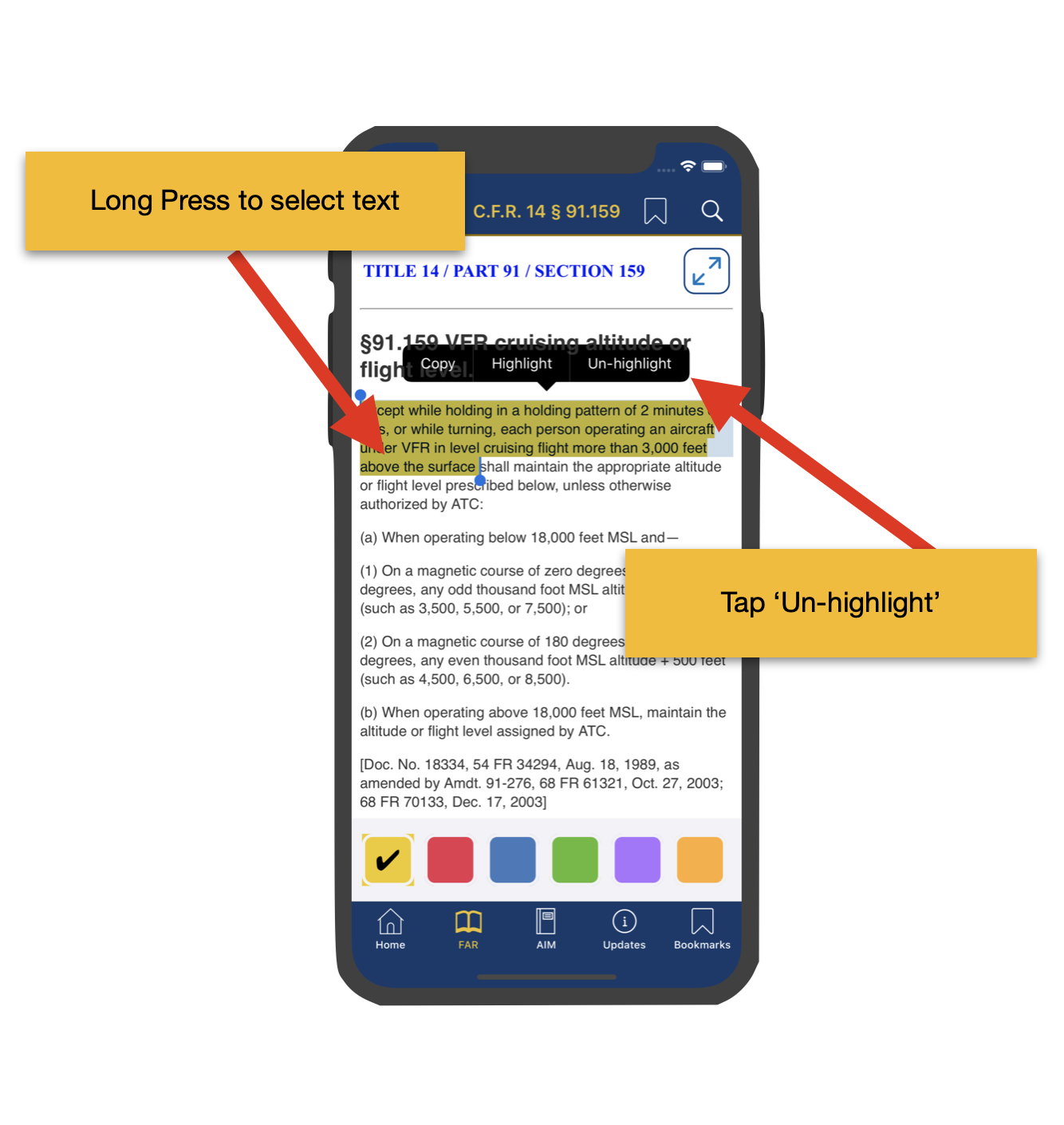
Delete or change highlights
Select highlighted text to remove highlighting, or choose a different color from the highlighter collection.
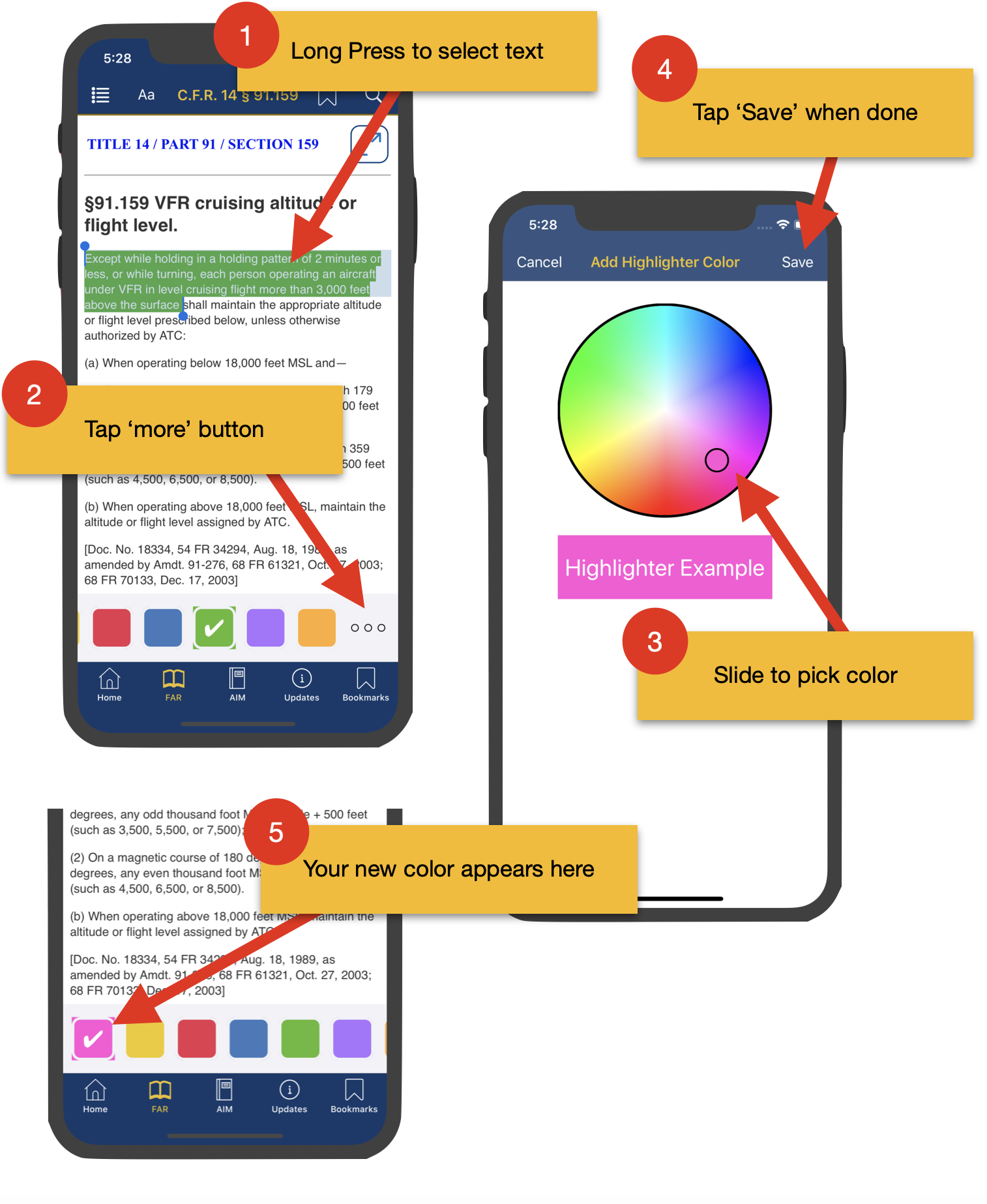
Create and arrange colors
Add new highlighter colors, rearrange the palette, or remove colors you no longer need while preserving text that was previously highlighted.
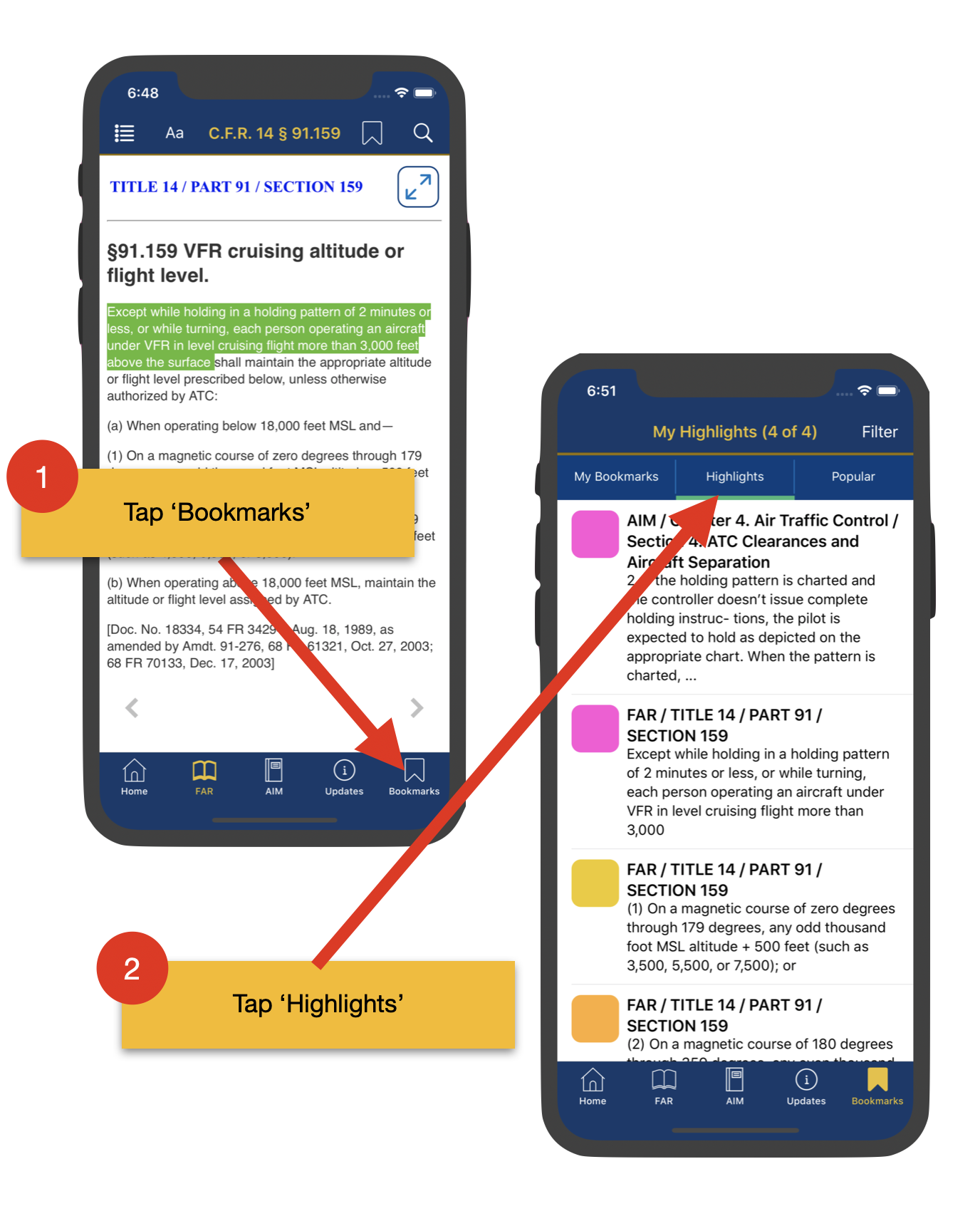
Review highlight lists
The Saved tab includes a highlight list that can be filtered by FAR, AIM, phrase, table-of-contents location, or highlighter color.
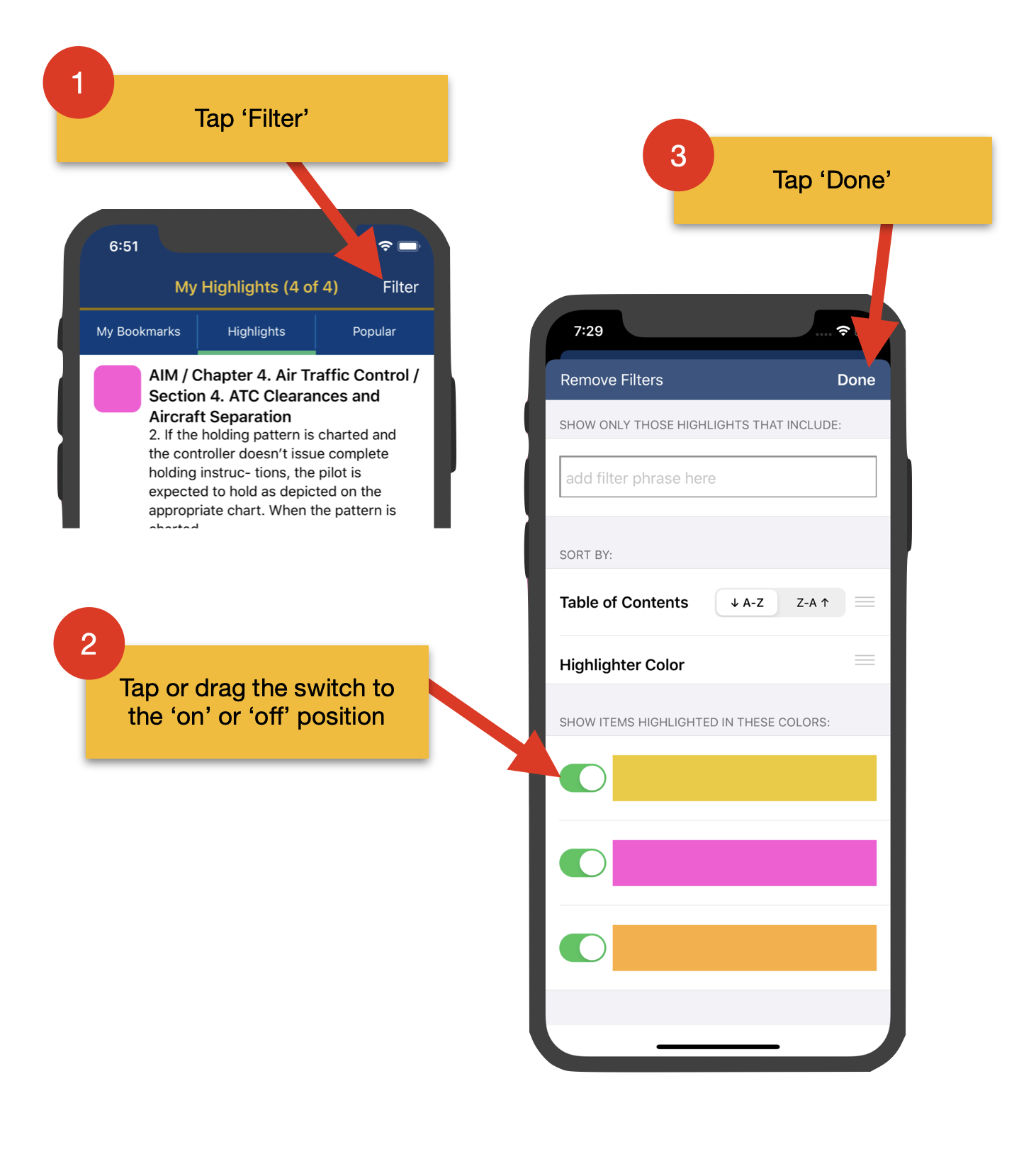
Sort and filter
Sort highlights by table-of-contents location or color, filter by specific colors, and reset filters when you want the default list again.